
Inside SEA-Solutions’ Web Application Development Process | Vietnam Software Outsourcing
Every successful digital product begins with a solid foundation — a clear process. At SEA-Solutions, a leading Vietnam software outsourcing company, we’ve perfected our SEA-Solutions Web Application Development Process over more than a decade of hands-on experience across various industries and continents.
We don’t just code — we partner with our clients. Our approach is rooted in collaboration, transparency, and technical excellence, ensuring that every web application we build is not only robust and scalable but also aligned with our clients’ long-term business goals.
Now that you’ve seen the general picture in our Complete Guide to the Web Application Development Process, let’s explore how SEA-Solutions applies this framework in practice — step by step — as one of the top Vietnam software outsourcing partners.
Table of Contents
Step One – Requirement Gathering & Planning in the SEA-Solutions Web Application Development Process
At SEA-Solutions, the first step in our Web Application Development Process is crucial: we work closely with clients to capture their business needs, clarify requirements, and set clear expectations for the entire project. This phase ensures that every feature we build is aligned with the client’s goals and user needs, laying a solid foundation for the development process.
What We Do
- 1.Work with the Client
- 2. Analyze Requirements
- 3. Create Documentation and User Stories
- 4. Review Specifications
- 5. Proposal Creation and Resource Planning
- 6. Grooming / Backlog Refinement
- 7. Managing Requirements and Change Requests
We initiate communication with our clients through multiple channels such as email, Zoom, Skype, or phone calls, to capture their business needs. This helps us understand the purpose of the web application and what the final product should achieve.
We perform a detailed requirements analysis, focusing on the client’s business objectives and the app’s functionality. This helps us build a clear plan to align features with the client’s vision.
Once the features and functionalities are defined, we document them into user stories, outlining the scope of each feature from the user’s perspective. This documentation ensures that developers and QA testers have a clear understanding of what needs to be built.
After the initial documentation, we conduct a walkthrough with the client to review the specifications. This is done through calls, emails, or in-person meetings, ensuring that every feature is clearly understood, and the client’s expectations are aligned with what we plan to build.
After finalizing the requirements and reviewing them with the client, our team works together — including the Business Analyst (BA), Project Manager (PM), and Tech Lead — to create a project proposal. This includes a breakdown of features, estimated timelines, and resource allocation.
We maintain an ongoing process of grooming the backlog and refining tasks in Jira, ensuring that each task is clearly defined, prioritized, and ready for development. This ensures that we remain flexible and adaptable throughout the development cycle, accommodating any changes in the project scope.
Throughout the development process, we closely monitor any changes to requirements or additional requests. We use Excel or Jira to track changes and manage client expectations, ensuring that everything remains on schedule.
Example of a Real-World Case
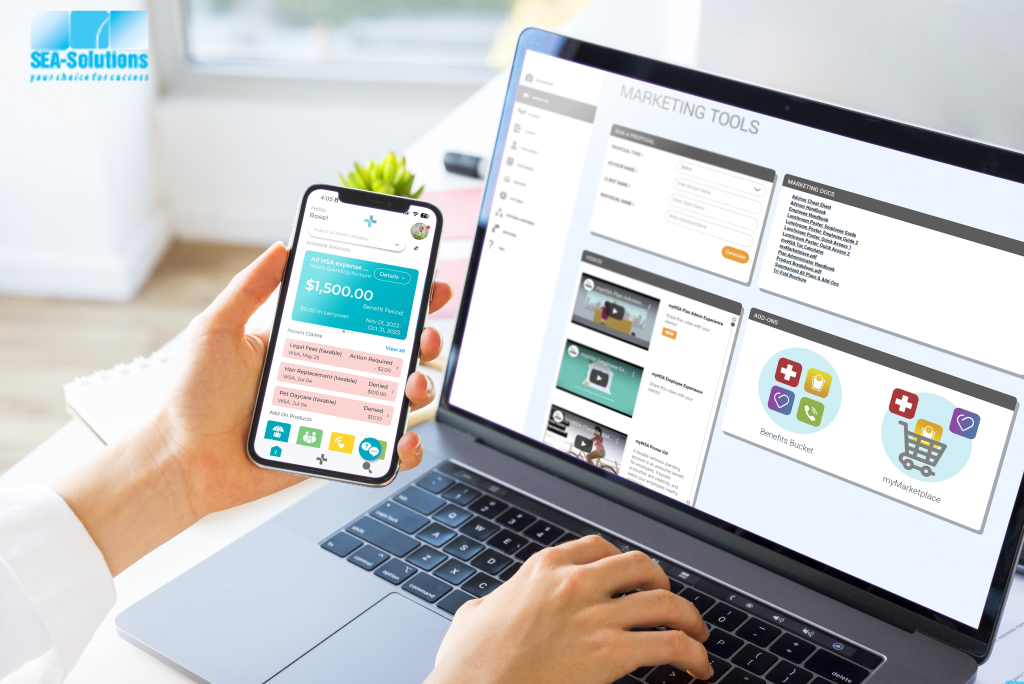
For our Canada insurance client, the goal was to build a platform that allows employees to submit and manage insurance claims online. The platform needed to be secure, user-friendly, and capable of handling a high volume of claims submissions and approvals.
We followed these steps:
Step 1: Work with the Client
We started by holding regular meetings with the client to discuss the project’s scope, clarify feature requirements, and create a clear product roadmap. We communicated via email, Zoom, and phone calls, ensuring constant communication and alignment throughout the project.
Client’s Needs:
We worked closely with the client to define must-have features such as a user-friendly claims submission interface, real-time claims status tracking, and secure data handling.
Outcome:
By the end of Step 1, we had a well-defined product roadmap that mapped out each project phase, from feature prioritization to timeline estimation. This step allowed us to set expectations clearly for both the development team and the client, ensuring everyone was aligned.
Step 2: Analyze Requirements & Design Wireframes
After understanding the project’s goals, we analyzed the requirements in detail. We used tools like draw.io to create use case diagrams, defining user roles, actions, and process flows. We then moved on to creating wireframes and mockups in Figma to visualize the app’s look and functionality.
Objective:
We ensured everyone was on the same page by visualizing how the app would look and feel before development began. This helped the client visualize the end product.
Outcome:
The wireframes and mockups gave the client a clear understanding of the interface and how the claims submission process would work. This step minimized misunderstandings and helped finalize UI/UX expectations before development.
Step 3: Create Documentation & User Stories
Once the wireframes and mockups were finalized, we documented all requirements and created user stories to define tasks for the development team. We used tools like Jira and Excel to create detailed user stories and break down tasks for each feature, ensuring that every team member understood their responsibilities.
Objective:
We provided a detailed breakdown of the development process, ensuring that every feature was documented and ready for development.
Outcome:
We created a comprehensive specification document, which included user stories describing the user experience for each function, from submitting claims to viewing claim statuses.
Step 4: Review Specifications with the Client
To confirm that the documentation met the client’s expectations, we conducted a review meeting where we walked through the specifications, wireframes, and user stories. This was done via Zoom calls and email exchanges.
Objective:
We ensured the client was satisfied with the specifications and made any necessary adjustments
Outcome:
After this review, the client suggested a few minor adjustments to the claims process. We incorporated their feedback into the wireframes and user stories, ensuring the product was exactly what the client wanted.
Step 5: Proposal Creation & Resource Assignment
Once the requirements were confirmed, we created a project proposal with input from the Business Analyst (BA), Project Manager (PM), and Tech Lead. We estimated the time required to develop each feature and assigned resources based on each team member’s skillset.
Objective:
We broke down the project into manageable tasks, providing an estimated timeline for each phase of development.
Outcome:
We delivered a comprehensive proposal with a detailed project timeline and allocated resources to each task, ensuring the team was ready to start development.
Step 6: Grooming & Backlog Refinement
We continuously refined the backlog using Jira, ensuring that every new feature or adjustment was added to the task list and prioritized based on business value. This process allowed us to remain flexible and quickly adjust to any new requirements or changes during development.
Objective:
We ensured the project stayed on track and that adjustments were incorporated into the backlog regularly.
Outcome:
As development progressed, we added new features (e.g., integration with insurance policy management systems) and adjusted priorities based on client feedback.
Step 7: Managing Change Requests
During development, the client requested additional features, such as real-time notifications for claims status updates. We tracked these change requests and provided an updated timeline using Jira, ensuring all team members were aligned and the project continued smoothly. timeline using Jira, ensuring all team members were aligned and the project continued smoothly.
Objective:
We managed change requests effectively and maintained the project timeline
Outcome:
We handled the change requests by updating the project backlog in Jira and incorporating the new features into the development plan without impacting the overall timeline.
🎯 Impact & Results
By following our Requirement Gathering & Planning process, we were able to:
Clearly define the project’s scope and the client’s needs.
Create user stories and detailed mockups using Figma, giving the client a clear vision of the system’s interface.
Build a comprehensive project proposal with estimated delivery timelines and resource allocation.
Regularly update and manage requirements using Jira and Excel to ensure smooth execution.
As a result, the client was able to launch the insurance claims platform on time, providing employees with an easy-to-use system for submitting claims and managing benefits. The company significantly reduced its manual paperwork and improved operational efficiency.
Step Two –UI/UX Design: Shaping the User Experience for the SEA-Solutions Web Application Development Process
At SEA-Solutions, we believe that design is not just decoration — it is the bridge between technology and human behavior. For us, UI/UX design is about creating experiences that are both functional and emotional, ensuring that the technology serves the user while aligning with business objectives.
Our UX/UI team at SEA-Solutions Vietnam focuses on clarity, usability, and emotion, creating designs that engage and delight users. This is crucial in the case of the insurance platform, where policyholders (người hưởng bảo hiểm) need a seamless and easy-to-use interface to file claims and manage their insurance benefits efficiently.
What We Do
Wireframing is a crucial first step in our design process. We began by creating low-fidelity wireframes in Figma that outlined the basic structure of the platform, ensuring that the layout was clean, simple, and easy to navigate for both desktop and mobile users.
After the wireframes were created, we moved to interactive prototypes using InVision. These prototypes allowed us to simulate the user flow of the website and the mobile app and test key features such as product filtering, checkout process, and live chat support.
The prototypes allowed us to make quick iterations and gain feedback from stakeholders early in the design process, helping us refine the user experience.
Once the prototype was tested internally, we moved to real-user testing. We conducted testing sessions with actual customers to observe their interaction with the prototype. This was essential for identifying any usability issues or friction points that could impact the overall user experience.
After gathering feedback, we moved forward with high-fidelity visual designs in Figma. The final designs included all branding elements, such as colors, fonts, and icons, and ensured that the design was both aesthetically appealing and functional.
We made sure the design was consistent across both desktop and mobile versions of the platform, with responsive features that allowed easy access to product catalogs, the shopping cart, order management, and customer support.
Example of a Real-World Case
For our Vietnam-based e-commerce client, the goal was to create a seamless experience across both the website and mobile app for customers purchasing products online. We followed our UI/UX design process to ensure that the platform was not only easy to navigate but also visually appealing.
Explore more about this project here
Low-Fidelity Wireframes
We started by creating initial wireframes to map out the main user journeys, such as searching for products, viewing details, adding items to the cart, and checking out.
Example:
For the shopping cart flow, we made sure it was easily accessible from any page, and users could update quantities or remove items before proceeding to checkout.
Interactive Prototypes in InVision
After finalizing the wireframes, we tested interactive prototypes using InVision to simulate the complete user flow. This allowed us to observe how users interacted with key features like the user login process, product search, and shopping cart management, and identify areas for improvement before development.
Example:
During user testing, participants pointed out that the filtering options for categories could be more visible. In response, we redesigned the filters to make them more prominent on both desktop and mobile views, improving accessibility and usability.
Real-User Testing
We conducted testing sessions with actual users to gather feedback and refine the UI design further. This real-world testing helped us understand how users experienced the platform and provided valuable insights for enhancement.
Feedback:
While users were generally satisfied with the product browsing experience, many found the checkout process confusing when entering payment details. Based on this feedback, we simplified the payment form and added a clear confirmation screen before users finalized their order.
Refining the Design
After incorporating the user feedback, we moved to the high-fidelity design phase. We ensured the user interface (UI) aligned with the client’s brand identity, while maintaining a focus on usability. The final design featured product image galleries, clear call-to-action buttons, and an intuitive checkout process for both desktop and mobile devices.
🎯 Impact & Results
By focusing on user-centered design, we achieved several key outcomes:
Improved user experience, ensuring that customers could easily search, browse, and purchase products.
Seamless transitions between the website and mobile app, delivering a consistent experience across platforms.
Increased user engagement and higher conversion rates due to a simplified and more intuitive checkout process.
As a result, the client saw significant growth in user acquisition and higher order volumes within the first few months of launching the platform.
Step Three – Frontend & Backend Development: Bringing Ideas to Life in the SEA-Solutions Web Application Development Process
This is where creativity meets engineering.
At SEA-Solutions, one of the most reliable Vietnam software outsourcing companies, our developers follow modern, modular, and scalable coding practices to ensure long-term maintainability.
Let’s dive deeper into a real-world project for a Canada-based insurance client.
The goal was to build a digital platform that would allow employees to submit claims online, simplifying the entire process and reducing manual work. For this insurance platform, we focused on building an intuitive and responsive interface that employees could use easily from anywhere. This is critical when dealing with sensitive tasks like insurance claims, where employees need to act quickly and without confusion.
What We Do
- For the insurance platform, we focused on building an intuitive, responsive interface that employees could use easily from anywhere. This is critical when dealing with sensitive tasks like insurance claims, where employees need to act quickly but without confusion.
- ASP.NET MVC 5 was our framework of choice for building dynamic, content-driven pages that allow easy updates to the platform. It ensures the frontend is easily maintainable and scalable.
- jQuery 3.7.1 helped enhance interactive elements like forms, buttons, and dynamic content updates without reloading the page.
- Bootstrap 3.0.1 provided a responsive layout, ensuring the app works smoothly on mobile, tablet, and desktop devices.
- jQuery UI 1.14.1 added useful UI components such as sliders, date pickers, and modals, all of which improve the user experience significantly.
- jQuery Validation ensured that all forms were validated before submission, minimizing errors and speeding up the process.
- TinyMCE 3.4.5, a rich text editor, allowed users to easily add additional claim descriptions, making the claims process smoother.
- On the backend side, we used a combination of robust technologies that ensure data security, scalability, and real-time processing.
- .NET 8.0 provided a solid framework to support all the server-side logic, ensuring the app runs smoothly and efficiently.
- Entity Framework 6.1.3 allowed us to handle data access easily, enabling quick retrieval of claims and employee data.
- We exposed the backend functionalities through ASP.NET Core Web API, allowing the frontend to interact with the backend securely.
Example of a Real-World Case
Frontend Development
The claims submission page in the insurance app is one of the most important features. Employees can upload receipts, fill in necessary details, and submit the claim — all in a few simple steps.
To make this process as seamless as possible:
The insurance beneficiary snaps a photo of their receipts using their phone.
They fill out a short form with the claim’s details.
They submit the claim for approval, all without paperwork.
Using jQuery Validation, the system ensures that all required fields are completed before submission, reducing errors and speeding up the process.
Backend Development
When an insurance beneficiary employee submits a claim, the backend logic processes the request by:
Storing the claim data securely in a SQL Server database.
Triggering automated processes that check the claim against the company’s policy to ensure compliance.
Updating the insurance beneficiary’s claim status in real-time, so they can see the outcome instantly.
This real-time processing ensures that no data is lost and the system remains accurate and efficient throughout.
Data & Integration
Data integration was essential for this application, particularly when handling sensitive insurance claim data. We ensured that the application could handle large volumes of data securely while allowing easy access and retrieval.
We used SQL Server for data storage, ensuring fast, reliable access to employee and claim information across multiple devices.
During peak claim submission times, we used SQL Server to manage all claims data securely, ensuring the system could handle high volumes without slowing down. The backend allowed employees to track claim statuses through real-time database updates, ensuring transparency and efficiency.
🎯 Impact & Results
By using this cutting-edge technology stack, we created a secure and scalable web application that not only streamlined the claims process but also improved employee satisfaction. The app empowered employees to quickly submit claims, while backend integrations ensured that data was processed securely and efficiently.
Employees could now access their claims data via web, Android, and iOS platforms, providing easy access from any device.
As a result, claim processing time was reduced by 40%, significantly improving operational efficiency and reducing administrative workload.
Step Four – Quality Assurance & Security Testing: Ensuring Reliable and Secure Applications
At SEA-Solutions, we take quality assurance (QA) seriously. It’s not just a final step before launch; it’s embedded throughout the development process. We use a variety of tools to ensure that our web applications meet the highest standards of functionality, security, and performance.
Our QA process involves multiple layers, from functional testing to security scanning, ensuring that the final product is both robust and user-friendly.
What we do
Functional Testing:
We use Robot Framework to automate and execute functional tests, ensuring that all features work as expected. This includes verifying user interactions and confirming that the app behaves correctly across different scenarios.Security Scanning:
We use OWASP ZAP (Zed Attack Proxy) for security testing. This tool identifies security vulnerabilities in web applications, helping us spot and fix potential security issues before launch.API Testing:
We rely on Postman for API testing, which allows us to verify the functionality and performance of the backend. This ensures that all APIs work correctly and that data is passed between services as expected.Load and Performance Testing:
We use JMeter to test how the system performs under high traffic loads. This helps us understand the scalability of the application and optimize it for peak usage.
Example of a Real-World Case
One of our clients in the healthcare industry, specifically in the field of medical AI for dermatology, developed a web application that helps dermatologists, clinicians, and researchers manage cases, analyze skin images using AI, and monitor treatment progress.
The project, developed in the United States, serves global customers, including doctors, clinics, hospitals, and dermatology research organizations worldwide. Since the application processes sensitive medical data, ensuring security and functionality was paramount.
To ensure high-quality development and robust security, we followed our QA and testing approach:
1. Functional Testing with Robot Framework
We used Robot Framework to perform automated functional tests on the platform, verifying that key features such as patient case management, AI skin image analysis, and treatment progress tracking worked correctly across different scenarios.
Example:
We verified that when a dermatologist uploads an image of a patient’s skin, the AI correctly analyzes the image and categorizes the skin condition based on predefined medical standards.
2. Security Scanning with OWASP ZAP
Given the sensitive medical data involved, security was a top priority. We used OWASP ZAP to perform automated security testing on the application. The tool scanned for vulnerabilities like cross-site scripting (XSS), SQL injection, and other potential attacks that could compromise user data.
Example:
The tool identified potential vulnerabilities in one of the user authentication flows. After identifying the vulnerability, we implemented a fix, ensuring that user data was fully protected
3. API Testing with Postman
Postman was used to test the APIs that enable communication between the frontend (user interface) and backend services. We tested endpoints such as case creation, AI analysis, and patient data retrieval to ensure that the data integration between the front-end and back-end services worked seamlessly.
Example:
One API that retrieves AI-analyzed skin images was tested to ensure the correct image and patient data were returned from the server. We confirmed that the backend functionality was robust and could handle requests from users in real time.
4. Load and Performance Testing with JMeter
With the web application serving healthcare professionals globally, it was essential to ensure that the platform could handle high volumes of traffic, especially during peak usage times like medical conferences or AI analysis batches. We used JMeter to simulate heavy load on the system and test how it performed under stress.
Example:
The platform was tested with 1000+ concurrent users submitting skin images for AI analysis. We were able to identify and resolve performance bottlenecks, ensuring that the system could scale during high-demand periods.
🎯 Impact & Results
By using this comprehensive QA and testing process, we were able to:
Ensure robust functionality: The system’s key features, such as AI-powered image analysis and patient management, performed seamlessly across different scenarios.
Fix vulnerabilities: Using OWASP ZAP, we proactively identified and addressed security issues, ensuring patient data was protected.
Verify API integration: With Postman, we confirmed that backend services and frontend functionality were integrated effectively, ensuring a smooth and reliable user experience.
Optimize performance: JMeter testing helped us identify potential scalability issues, allowing us to optimize the system for large-scale use.
As a result, the healthcare AI platform was successfully launched with zero critical errors and a high level of security, making it a trusted tool for dermatologists and researchers around the world.
Step Five – Deployment: Going Live the Smart Way
Deployment is where precision meets preparation.
At SEA-Solutions, we leverage CI/CD pipelines to make deployment reliable, repeatable, and secure — a hallmark of our SEA-Solutions Web Application Development Process.
What we do
- Automate build and test cycles using Jenkins and GitHub Actions.
- Containerize applications with Docker and Kubernetes.
- Deploy on AWS, Azure, or Google Cloud for flexibility and scalability.
Example of a Real-World Case
For our Vietnam-based sports facility booking platform, the goal was to ensure a seamless deployment process, with minimal downtime and the ability to handle high traffic volumes during peak hours.
To achieve this, we implemented the following technologies and strategies:
CI/CD Pipelines for Efficient Deployment
We set up Continuous Integration and Continuous Deployment (CI/CD) pipelines using Jenkins and GitHub Actions. This allowed us to automate the entire deployment process, ensuring that new features, updates, and bug fixes were automatically tested and deployed to production without manual intervention.
Example:
Every time the development team pushed new code, it was automatically tested and deployed via our CI/CD pipeline. This approach allowed the team to iterate quickly while maintaining a high level of code quality and reliable deployments.
Google Firebase for Real-Time Database & Hosting
The platform was hosted on Google Firebase, providing fast, reliable hosting and a real-time database for managing sports court bookings. Firebase ensured that users could always view updated court availability and make bookings in real-time, without delay. Additionally, Firebase Authentication was used to securely manage user sign-ins.
Example:
When a user booked a court, the availability data was instantly updated across all platforms, ensuring that no other user could accidentally double-book the same court. Real-time synchronization ensured that updates were pushed instantly, providing an optimal user experience.
Auto-Scaling Server to Handle Traffic Spikes
We deployed the platform on Google Cloud, enabling us to auto-scale the server resources depending on traffic demands. This is particularly important for sports booking platforms, where usage can surge during peak hours (e.g., weekends or holidays). The auto-scaling server ensures that the platform remains responsive and fast, even during high-demand periods.
Example:
On weekends, when many users are booking courts, the platform automatically scales its server resources to handle increased traffic. This means the platform doesn’t experience slow load times or downtime, ensuring that users can make bookings smoothly, even during traffic surges.
🎯 Impact & Results
By implementing CI/CD, Google Firebase, and auto-scaling server technology, we ensured that the sports facility booking platform:
Scales efficiently to handle high traffic volumes, especially during peak times.
Remains reliable and fast due to real-time updates and seamless integration with Firebase.
Can deploy new features and bug fixes rapidly and automatically, ensuring a continuous flow of improvements and updates.
As a result, the platform delivered zero downtime during deployment and has been able to accommodate growing user demand without performance degradation.
Step Six – Maintenance & Continuous Improvement: Sustaining Success
The launch is just the beginning.
At SEA-Solutions, we treat maintenance as a strategic phase — ensuring applications stay modern, secure, and optimized for evolving user needs.
What we do
- Monitor systems with Grafana và Prometheus
- Provide monthly health reports and feature recommendations.
Example of a Real-World Case
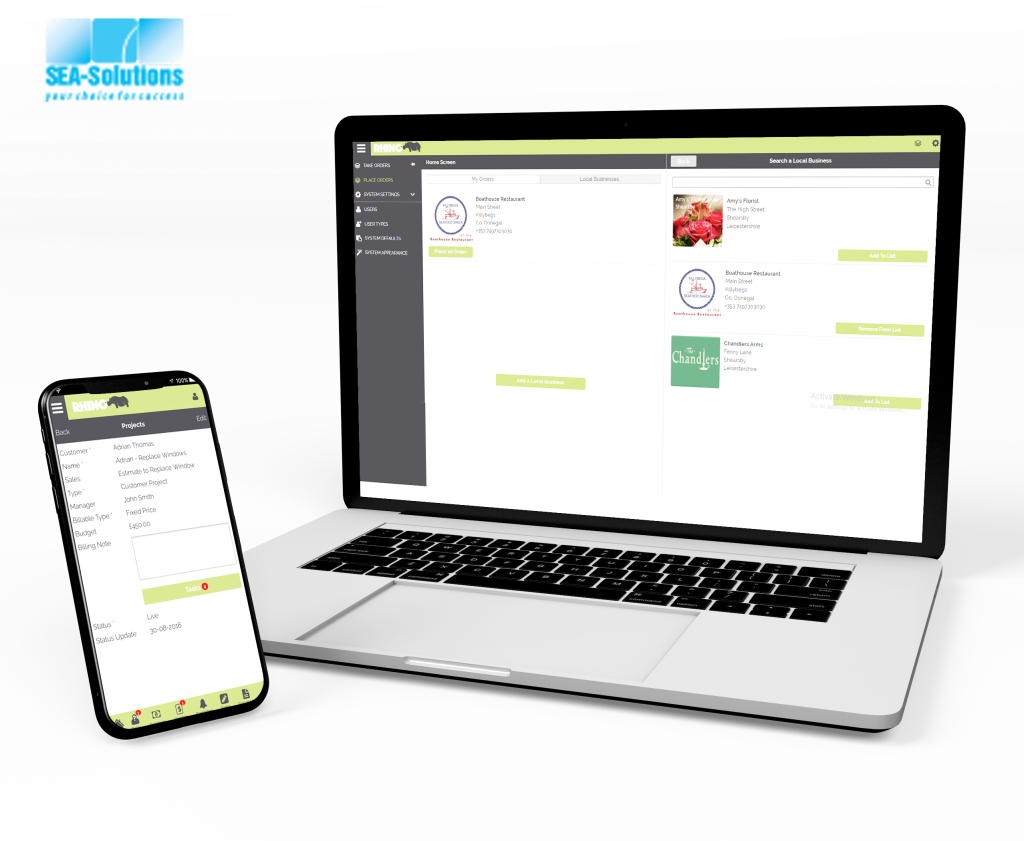
For our”Making Tax Digital“ system, which helps small businesses and individuals store invoices, expenses, and projects, and submit them to the government’s digital gateway, monitoring and continuous improvement were crucial. To ensure the platform runs smoothly and efficiently over time, we set up Grafana and Prometheus for real-time monitoring and performance tracking.
Grafana and Prometheus for Monitoring
We set up Prometheus to collect metrics from the web application system, including response times, error rates, server health, and resource usage.
Grafana was integrated to visualize this data, providing real-time dashboards for the development and operations teams to monitor system performance.
We tracked user activity, ensuring that transactions (e.g., submitting invoices, updating expenses) were processed correctly and without delay.
Example:
After the initial launch of the “Making Tax Digital” system, we noticed a slight delay during invoice submission on peak days. By using Prometheus to track API performance, we identified that database queries were taking longer than expected. With Grafana, we could visualize this performance issue, pinpointing bottlenecks in the system and fixing them before they affected the users.
Real-Time Alerts
With Grafana integrated with Prometheus, we set up real-time alerts for key metrics such as server downtime, high error rates, and slow API response times. These alerts notified our team immediately when an issue arose, allowing us to address problems before they impacted users.
Example:
We set up an alert for server health so that if the system experienced high CPU usage or memory overload, our team would receive an alert within minutes. This allowed us to take corrective action before the performance degraded, ensuring a smooth experience for users submitting their tax information.
Ongoing Optimization & Feature Improvements
As the system continued to evolve, we used Grafana and Prometheus data to optimize performance continuously. For example, we noticed that the invoice upload feature could be improved by implementing file compression before uploading. This change was based on real-time data from Grafana, which showed that large file uploads were slowing down the system.
Example:
After identifying that file uploads were causing slowdowns, we introduced a file compression feature to the platform, reducing the data size of invoices and improving upload speed. This change helped improve the overall performance and user experience, especially during high-traffic periods.
🎯 Impact & Results
By using Grafana and Prometheus for monitoring, we were able to:
Track system performance and detect issues in real-time, allowing for quick resolution and minimal downtime.
Ensure that the “Making Tax Digital” system remained scalable, secure, and efficient post-deployment.
Provide continuous optimization based on performance data, improving both the user experience and the overall system reliability.
This approach ensured that the platform maintained high availability and reliability, even as the number of small businesses and individuals using the system grew.
The SEA-Solutions Web Application Development Process is more than just a methodology — it’s our commitment to delivering high-quality, secure, and scalable web applications that drive success for our clients. If you’re ready to build a custom web application that aligns with your business goals, SEA-Solutions is here to help you achieve success.
Through our comprehensive approach, we leverage cutting-edge technologies and industry best practices to build applications that optimize efficiency, improve user experience, and ensure long-term scalability. Whether it’s for e-commerce platforms, insurance systems, or enterprise solutions, SEA-Solutions is committed to creating products that drive results.
Our focus on collaboration, agility, and continuous improvement ensures that we not only meet client expectations but exceed them, helping businesses stay ahead in an ever-evolving digital landscape.
If you’re looking to build a custom web application that can grow with your business, SEA-Solutions is the trusted partner you need. Let us help you turn your ideas into a powerful, user-friendly application that delivers measurable success.
👉 Ready to get started? Learn more about how SEA-Solutions can help you build your next web application.
Tags:
WebApplicationDevelopment, SEASolutions, AgileDevelopment, TechInnovation , CustomWebApps , UXUIDesign , SoftwareDevelopment , WebAppProcess , DigitalTransformation , TechSolutions, Vietnam software outsourcing